How Mindful Lock works

A closer look at each way to put the phone down.

Quick Lock

Lock the whole phone for as long as you choose. Pick a duration, slide to confirm, and nothing but your lock screen is reachable until the time is up.

Mindful Lock

Quick Device Lock

Temporarily lock your device for a set duration to stay focused

15 min30 min1 hr2 hrCustom
30min
9:55
Sunday, 7 September
Device locked
Until 10:25 pm
Emergency call available
9:55
  1. 1
    Pick a duration

    15 min, 30 min, 1 hr, 2 hr, or a length you set yourself.

  2. 2
    Slide to confirm

    One deliberate gesture, so it never happens by accident.

  3. 3
    The phone locks

    Your emergency contacts are still a call away.

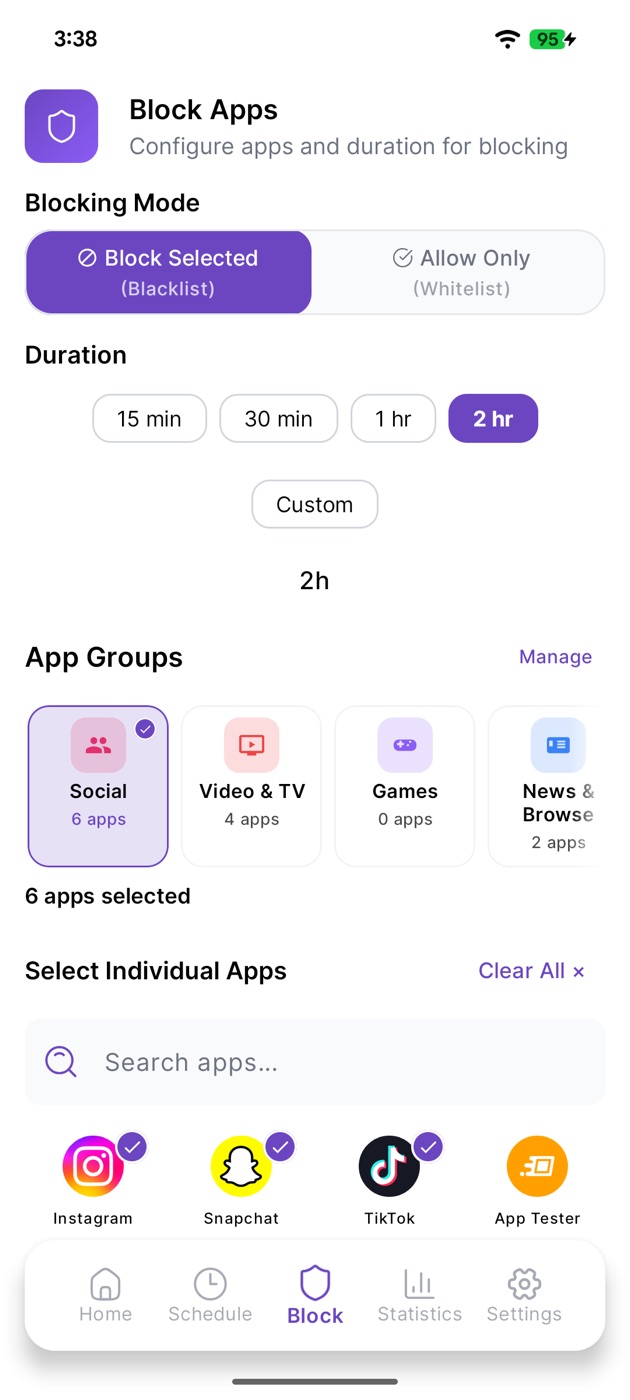
App Blocking

Block the apps that pull you in

Shut the apps you choose for a set time. The rest of your phone keeps working.
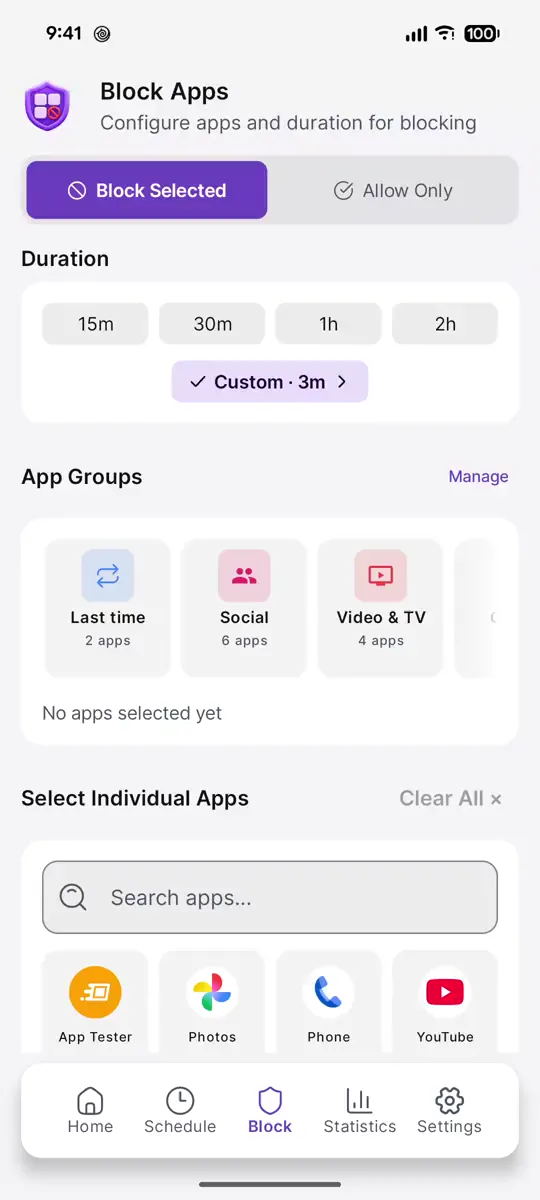
  • Block Selected shuts the apps you pick. Allow Only keeps the apps you pick and blocks everything else.
  • Choose 0, 1, or 3 emergency unlocks. Each one pauses blocking for 5 minutes.
  • Turn on Prevent quitting Mindful Lock, and force-closing or uninstalling the app won't end the session.
  • Your phone, keyboard, and settings are never blocked.
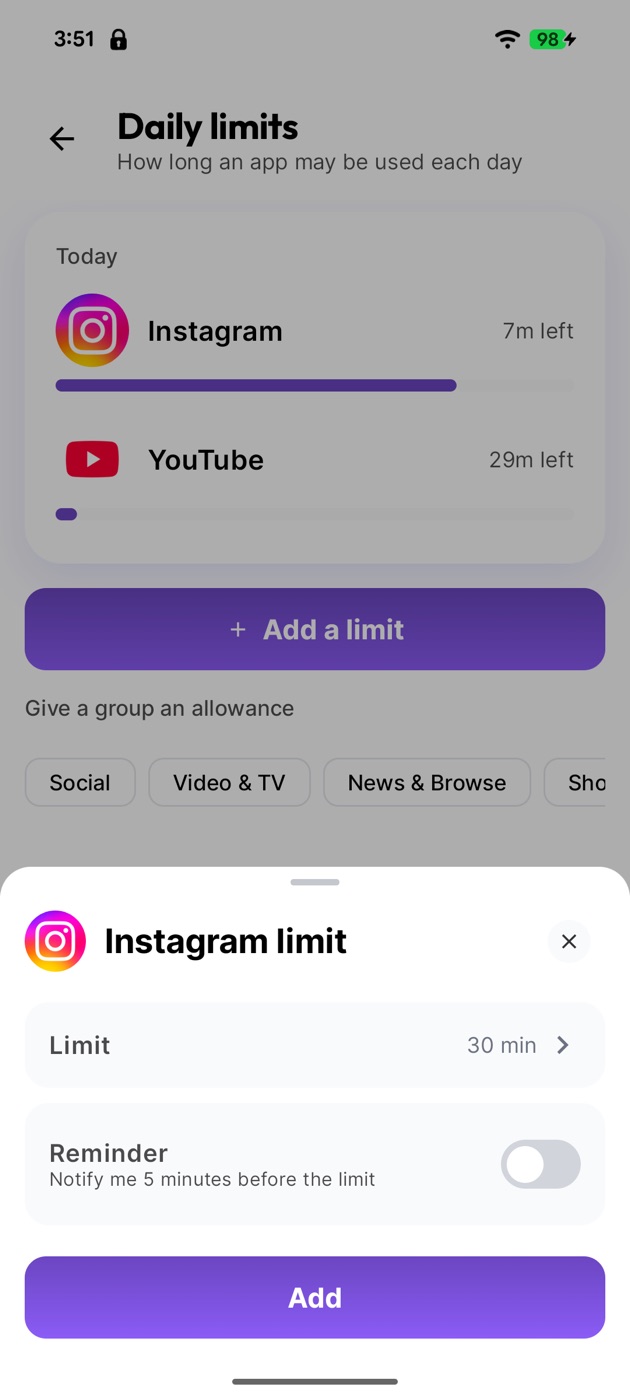
App Limits

Give each app a daily allowance

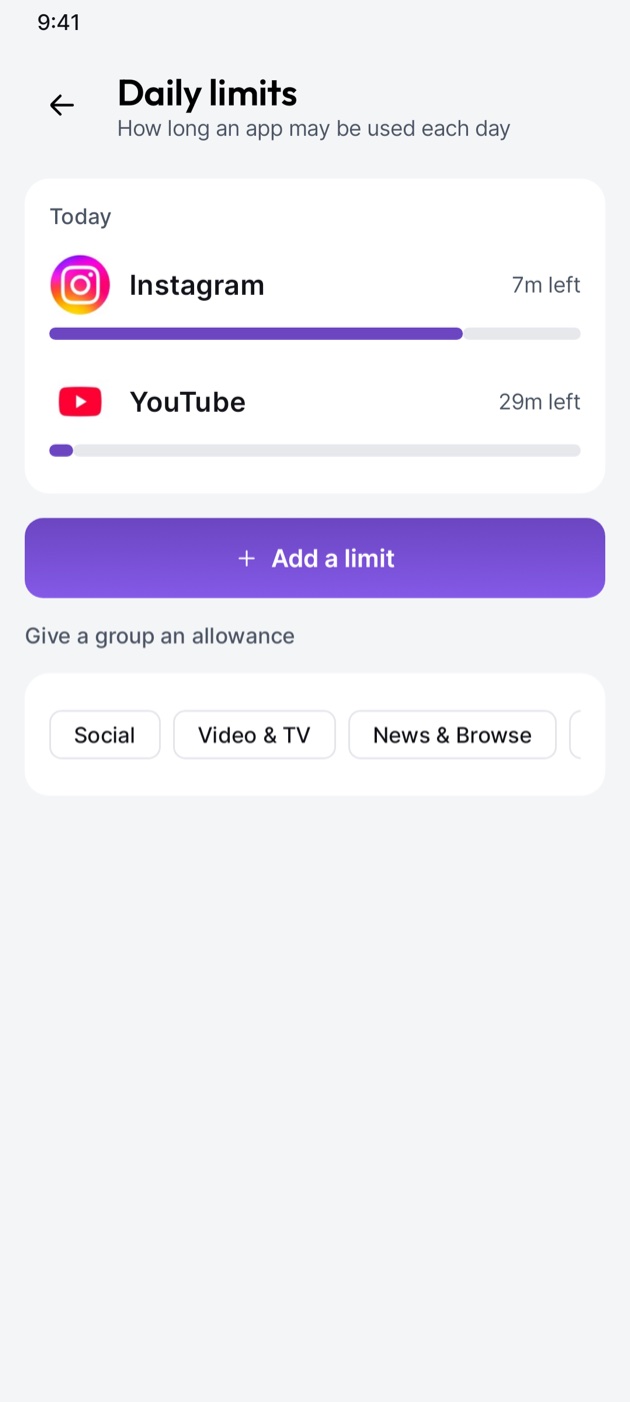
Decide how long an app gets each day. When the time is used up, it stays shut until midnight.

Mindful Lock app: App Limits
  • Get a reminder 5 minutes before an app's own limit runs out.
  • Share one allowance across a whole App Group, like all your social apps.
  • Limits reset every night at midnight.
App Groups

Pick a whole category in one tap

Your apps come sorted into groups, so you don't have to pick them one by one.

  • Six ready-made groups: Social, Video & TV, Games, News & Browse, Shopping, and Music & Audio.
  • Make your own, like Study or Work, with a name and an icon.
  • On the Block tab, Last time brings back the apps and blocking mode from your previous session.
  • Works on the Block tab and when you build a schedule.
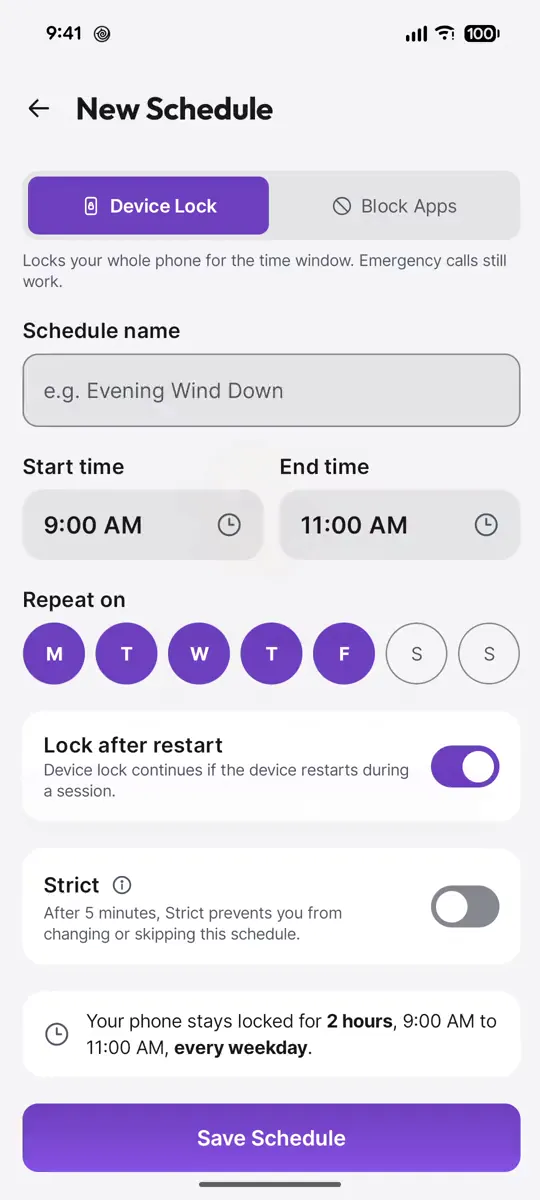
Schedule Lock

Set it once and let it run

Lock the whole phone or just block apps, on the days and times you choose.

  • Device Lock locks the whole phone. Block Apps blocks only the apps you pick.
  • Repeat on any days of the week, even for windows that run past midnight.
  • Turn on Lock after restart so a restart doesn't end it.
  • Save a schedule while its window is already running, and the app offers to start it now.
Emergency Calling

Locked doesn't mean unreachable

Call the people who matter without ending your session.

  • Turn on Emergency Calling in Settings and pick your emergency contacts.
  • During a lock, double-tap the lock notification to open the call screen.
  • Call a contact or dial any number. Your session keeps running, and the phone locks again when you leave the call screen.
  • Your contacts stay on your phone. We never upload them.
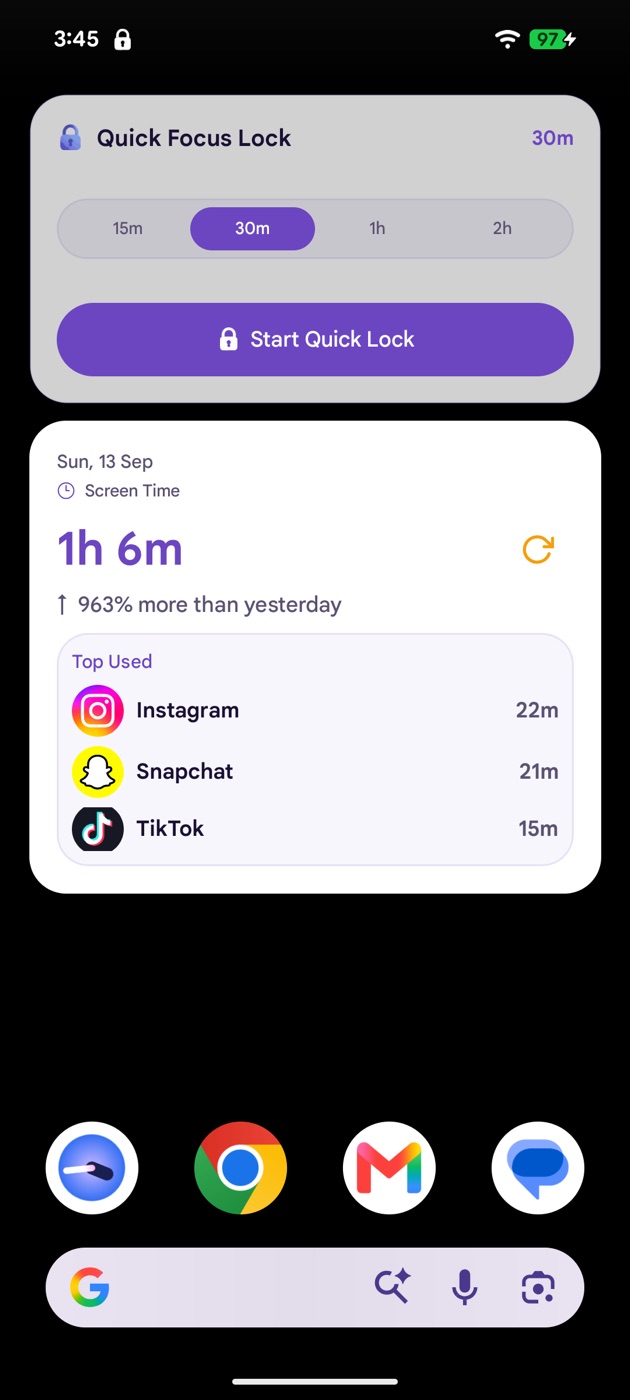
Widgets & Insights

See where your time goes

Track your screen time, and start a lock straight from your home screen.

  • Statistics shows daily, weekly, and monthly screen time, app by app.
  • Set a daily screen time goal and track it on Home.
  • Focus Records is a calendar of every session you finished, going back 6 months.
  • Screen Time and Focus Lock widgets for your home screen.

Ready to put the phone down?

Mindful Lock is free on Android.